
one minute, once
Connect Clay to your AI.
Paste one address, sign in, press Allow. Then ask for your site.
-
01
Open Connectors
On claude.ai go to Customize, then Connectors. Press + Add, then Add custom connector.
On a phone, do this once on claude.ai in your browser. Clay is then in the Claude app too.
Add custom connector
Continue -
02
Paste the address
Name it Clay and paste the connector address. Press Continue, choose Sign in now, and press Add.
https://clay.site/api/mcp/sites -
03
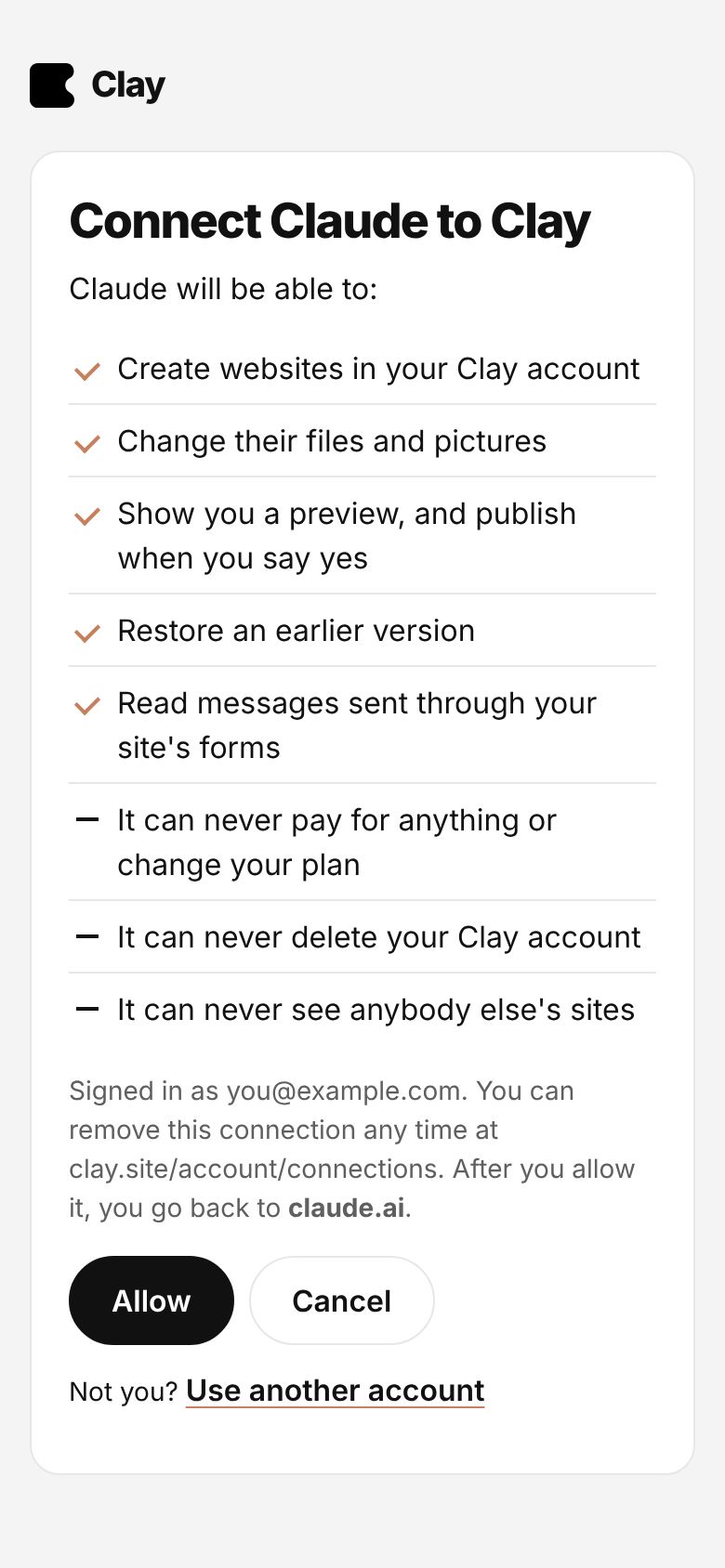
Sign in and Allow
Clay opens. Sign in with your email, or make a free account with a new one. Press Allow. Done.
In a chat, press +, then Connectors, and check Clay is switched on.
-
01
Open Plugins
On chatgpt.com open Plugins. Press the + button, then Add custom MCP server.
This is done on the web. Once added, Clay is in the ChatGPT app too.
Add custom MCP server
-
02
Paste the address
Name it Clay. Under Connection paste the address as the Server URL, and pick OAuth. Tick I understand and want to continue, press Create as a plugin, then install it.
https://clay.site/api/mcp/sites -
03
Sign in and Allow
Clay opens. Sign in with your email, or make a free account with a new one. Press Allow. Done.
In a chat, type @ and choose Clay.
-
01
Claude Code
Run this in your terminal, then type /mcp in Claude Code and sign in to Clay.
claude mcp add --transport http clay https://clay.site/api/mcp/sites -
02
Cursor
Add Clay to ~/.cursor/mcp.json. Cursor asks you to sign in the first time it uses it.
{ "mcpServers": { "clay": { "url": "https://clay.site/api/mcp/sites" } } } -
03
Any other app
Anything that adds a remote MCP server by its address works: paste the connector address, choose OAuth if it asks, sign in to Clay and press Allow.
Then say this.
Copy one into a new chat. Fill in the part in brackets.
A new site
Build me a one page website for [what it is for] and put it online with Clay.
From Google Maps
Start my website from my Google Maps listing: [business name, town]. Show me the preview before it goes live.
Fix this week's check
Show me my Clay sites and fix what this week's check found.
If it doesn't work.
My AI doesn't use Clay
Switch it on for the chat. In Claude: +, then Connectors, then the toggle next to Clay. In ChatGPT: type @ and choose Clay. Or simply say "use Clay".
The Clay sign in page did not open
Your browser may have blocked the window. Allow it, or press Connect next to Clay in your connectors and sign in again.
ChatGPT can read my sites but not change them
OpenAI lets an added server make changes on Business, Enterprise and Edu workspaces. On other ChatGPT plans it can only read. Use Claude for now, or wait for Clay in the ChatGPT directory.
Claude says I can't add another connector
On Claude's free plan you can add one custom connector. Remove one you don't use, or use a paid plan.
I want to disconnect
Go to clay.site/account/connections and press Remove. Your sites stay as they are.